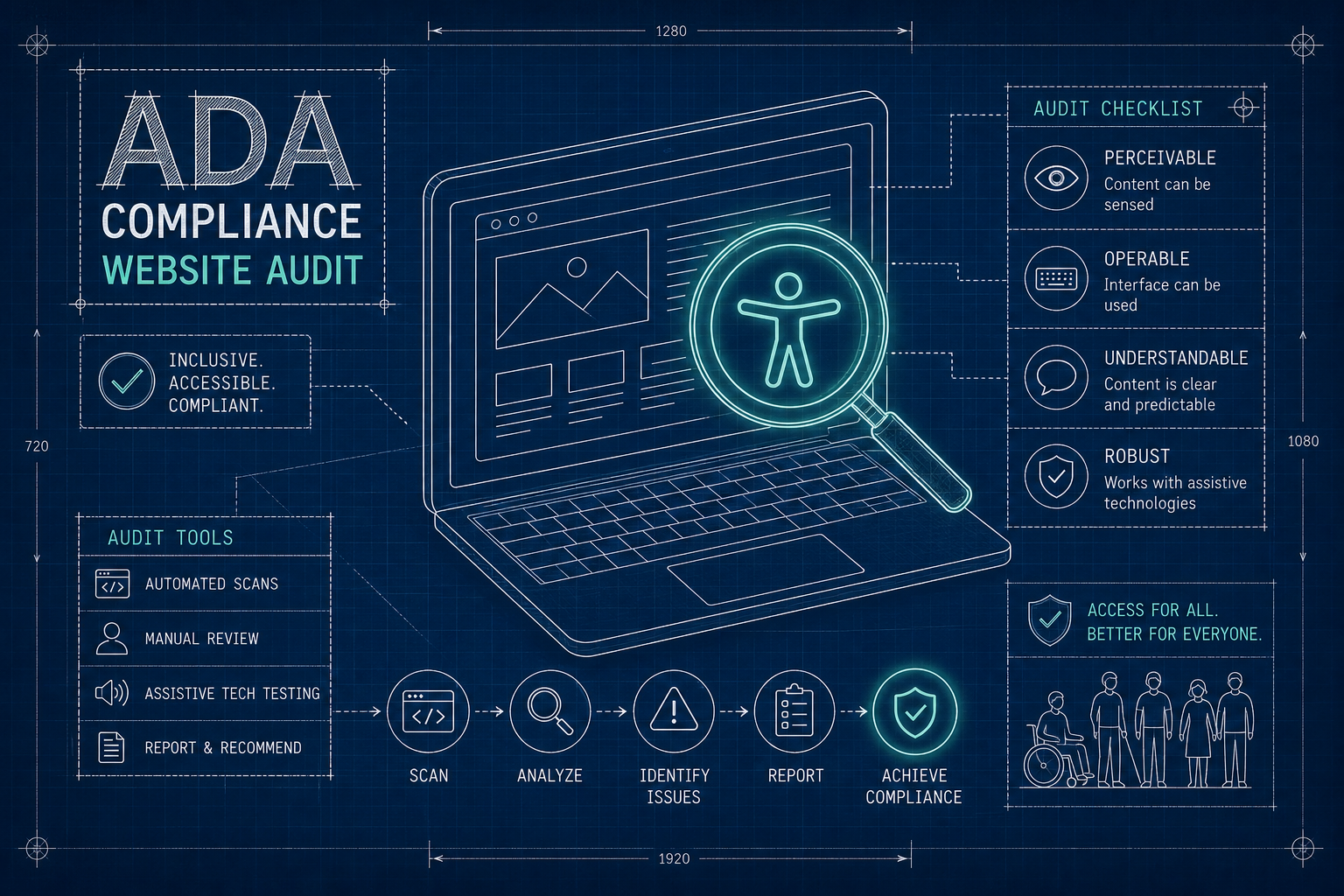
Choosing the right ADA website audit service is harder than it should be, because two providers can sell you the same thing and deliver work that isn't remotely comparable. One runs an automated scan and sends you the export. The other spends two days navigating your site with a keyboard and a screen reader. Both call it an audit.
A professional accessibility audit should go beyond an automated scan and evaluate how real people actually experience your website — including customers using keyboards, screen readers and other assistive technologies.
This guide explains what an ADA website audit includes, how to compare accessibility audit providers, which testing methods to look for, what the deliverable should contain, and what a professional audit and remediation process should cost.
What Is an ADA Website Audit?
An ADA website audit is a structured evaluation of your website against the accessibility standard courts reference in ADA cases — WCAG 2.1 Level AA. It identifies the barriers preventing people with disabilities from using your site, rates them by impact, and sets out what it takes to fix them.
A thorough audit evaluates:
Structure and content
- Headings and page structure
- Alternative text on images
- Colour contrast
- Links and buttons
Interaction
- Keyboard navigation
- Focus indicators
- Menus and modals
- Form labels and error handling
Assistive technology
- Screen-reader behaviour
- ARIA implementation
- Announcements of dynamic changes
- Semantic markup quality
Ecommerce specifics
- Product pages and variant selectors
- Cart and checkout flows
- Filters and search
- Third-party widgets and apps
Automated testing is not a complete audit
Automated tools are genuinely useful. They scan every page quickly, they find machine-detectable problems reliably, and they cost almost nothing to run. Any competent audit starts with one.
What they cannot do is judge context. A scanner can confirm that alt text exists; it cannot tell you the alt text says "IMG_4821". It can confirm elements are focusable; it cannot tell you the focus order is illogical, or that a cart drawer traps a keyboard user three interactions deep.
The balanced position: automated testing is useful for identifying many common issues, but it should be combined with manual testing for a more complete accessibility evaluation. Roughly a third of WCAG success criteria can be checked by machine. The rest requires a person.
ADA Website Audit vs. Automated Accessibility Scan
People researching audits usually encounter automated tools first, and it isn't always obvious how they differ.
| Automated scan | Professional audit |
|---|---|
| Fast — minutes | More comprehensive — days |
| Finds detectable technical issues | Evaluates technical and contextual issues |
| Limited interaction testing | Manual interaction testing |
| Limited user-flow testing | Tests complete user journeys |
| Useful for ongoing monitoring | Useful for deeper assessment |
| Output is a list of flags | Output is prioritised findings with fixes |
Automated tools can be valuable as part of an accessibility programme. They shouldn't automatically be treated as a complete accessibility audit — and a provider selling you scanner output as an audit is charging professional rates for something you can run yourself in a browser extension.
How to Compare ADA Website Audit Services
When you're evaluating providers, these are the dimensions that actually distinguish them.
| What to look for | What a strong provider should offer |
|---|---|
| Manual testing | Human testing of key user flows |
| Automated testing | Automated scans used alongside manual testing |
| WCAG coverage | Testing against relevant WCAG criteria |
| Keyboard testing | Navigation and interaction without a mouse |
| Screen-reader testing | Testing with commonly used assistive technologies |
| Ecommerce testing | Product, cart, forms and other important flows |
| Reporting | Clear findings with evidence and recommendations |
| Remediation | Practical guidance for fixing issues |
| Retesting | Verification after accessibility fixes |
| Platform expertise | Experience with the website's platform |
If a provider can't answer clearly on any row, that's worth probing before you sign.
What Does an ADA Website Audit Service Include?
A complete engagement runs through seven stages.
1. Discovery
Understanding the website, platform, templates and important user flows. Testing every URL on a 400-product store is neither possible nor useful — a good provider tests templates and journeys, and asks which pages matter most to your business.
2. Automated testing
Identifying detectable accessibility issues across the site at volume, as a first pass rather than the conclusion.
3. Manual testing
Keyboard, focus, interaction, screen-reader and contextual testing. This is the part that separates providers, and the part that takes the time.
4. WCAG evaluation
Mapping each finding to a specific WCAG success criterion by number and conformance level. "This looks wrong" is not a finding.
5. Reporting
Every finding should state the issue, its location, its severity and impact, the users affected, the relevant WCAG criterion, and a recommended fix.
6. Remediation
Explaining how the issues can be fixed — and, if the provider offers it, doing the work. Fixes should be made in the site's own code. Native-code accessibility remediation resolves the underlying problem rather than layering a script over it.
7. Retesting
Verifying that the fixes actually resolved the issues, using the same methods that found them. An audit that ends at the report is half a job.
Our full process is documented publicly on our accessibility audit methodology page — every phase, what each covers, and how findings are rated.
What Should You Receive From an ADA Website Audit?
Before you pay, establish exactly what lands in your inbox at the end.
A complete audit deliverable includes
- A detailed audit report, not a scanner export
- Findings prioritised by impact on real users
- WCAG success criterion references with conformance level
- Screenshots or recorded evidence of each issue
- The affected URLs and specific components
- Remediation recommendations for each finding
- Developer guidance, including code where relevant
- Retesting and verification, if offered
A report that lists 300 line items for one bad snippet repeated across 300 products looks thorough and is useless. Good reporting groups by root cause and tells you the instance count.
How Much Does an ADA Website Audit Cost?
There is no universal price, and any provider quoting one before seeing your site is guessing. Cost depends on:
- Number of templates and pages in scope
- Website complexity and degree of customisation
- Ecommerce functionality involved
- Number of user flows tested
- Depth of manual testing
- Whether remediation is included or audit-only
- Whether ongoing monitoring is included
Compare scope, not price. A $200 audit and a $2,000 audit are usually not the same product sold at different margins — they're different amounts of human testing. Ask how many hours of manual testing are included and which assistive technologies are used. The answers tell you more than the quote does.
Why Shopify Stores Need Specialized Accessibility Audits
Shopify gives merchants an accessible foundation. Its native checkout is built to a reasonable standard. But the platform isn't the whole store, and accessibility issues on Shopify stores come from layers sitting on top of it:
Theme and code
- Theme customisations
- Custom code and CSS
- JavaScript components
- Menus and navigation
Apps and widgets
- Popups and email capture
- Review widgets
- Subscription apps
- Live chat
Store functionality
- Product variant selectors
- Cart drawer and cart page
- Filters and search
- Checkout-related experiences
A generic accessibility firm may know WCAG thoroughly and still miss these, because finding them requires knowing where Shopify themes and apps typically break. Merchants should look for a provider that understands both accessibility testing and Shopify's technical ecosystem.
If you run a Shopify store, a platform-specific Shopify accessibility audit will surface issues a general audit tends to miss. For the compliance context behind it, see our guides to Shopify ADA compliance and Shopify WCAG compliance.
The Overlay Problem: Why Widget-Based Audits Don't Count
Some providers bundle an audit with an accessibility overlay — a script that claims to fix accessibility automatically once installed.
Overlays operate in the browser after the page loads. They don't change the underlying code, which means the barriers are still there for anyone whose assistive technology the overlay doesn't successfully intercept. Disability advocacy organisations have been consistently critical of them, and overlays have appeared on sites that were subsequently subject to accessibility complaints.
If an audit's recommended remedy is "install our widget," you haven't been sold an audit. You've been sold a subscription.
Red Flags That Should End the Conversation
- A guarantee that you won't be sued. Nobody can promise this. A provider who does is either misinformed or misleading you.
- A price quoted before seeing the site. Scope determines cost. A flat number in advance means the scope is fixed regardless of what your site needs.
- No mention of manual testing. If the process description is all tooling, the deliverable is scanner output.
- An overlay as the remedy. Covered above.
- No named standard. "Fully accessible" means nothing. "WCAG 2.1 Level AA" is a testable claim.
- No retesting. Without verification you have no evidence the fixes worked.
- Claims of 100% detection. No audit finds every issue. Anyone saying otherwise is overselling.
Questions to Ask Before Booking an ADA Compliance Audit
- How many hours of manual testing are included?
- Which screen readers do you test with, and on which browsers?
- Which WCAG version and conformance level do you test against?
- Will you test my checkout and cart, not just marketing pages?
- Do you test the third-party apps installed on my store?
- What exactly does the report contain? Can I see a sample?
- Is retesting included after fixes, or charged separately?
- Do you do the remediation, or only report on it?
- What have you tested on my platform before?
How Often Should a Website Be Audited?
Accessibility is not a one-time state. Adding products, installing apps and updating themes all introduce new barriers. Most stores should retest quarterly, and after any theme change or app installation.
A single audit tells you where you stood on the day it was run. Six months and three app installs later, that document describes a site that no longer exists.
Frequently Asked Questions
What is an ADA website audit?
A structured evaluation of a website against WCAG 2.1 Level AA — the standard courts reference in ADA cases. It identifies accessibility barriers, rates them by impact on users, and sets out what is needed to fix them.
How is an ADA audit different from an automated accessibility scan?
A scan is automated and finds machine-detectable issues in minutes. An audit combines that with manual testing by a person using a keyboard and screen reader, which is the only way to evaluate context, interaction and complete user journeys.
How much does an ADA website audit cost?
It depends on the number of templates, site complexity, ecommerce functionality, depth of manual testing, and whether remediation and monitoring are included. Compare scope rather than headline price.
How often should a website be audited?
Quarterly for most active stores, and after any theme change or app installation. New apps and content routinely introduce new barriers.
Does an ADA audit guarantee legal compliance?
No. An audit identifies barriers and documents your remediation effort, which materially reduces risk and demonstrates good faith. No audit and no vendor can guarantee immunity from claims.
Do Shopify stores need accessibility audits?
Yes. Shopify's platform is largely accessible, but themes, custom code, apps, product selectors and cart functionality all sit on top of it and are the merchant's responsibility.
Need an Accessibility Audit for Your Website?
AccessoraX provides manual accessibility audits and WCAG remediation for websites and ecommerce businesses, including Shopify stores. We'll test your store by hand and send back a recorded walkthrough showing exactly where a customer gets stuck.
Request an accessibility audit →About this guide
Written and reviewed by the AccessoraX accessibility team. AccessoraX specialises in manual accessibility auditing and native-code remediation for Shopify and ecommerce sites, testing against WCAG 2.1 and 2.2 Level AA with keyboard-only navigation, NVDA and VoiceOver.
Our complete testing process is published on our audit methodology page, including what it does not cover.
Last updated: August 2026. This guide is general information, not legal advice.