Many site owners treat a free automated scan as a substitute for a proper ADA compliance website audit. They run a tool, see a score, and assume they're covered. They're not. Automated scanners catch, at best, 57% of WCAG failures. Studies using stricter methodologies report detection rates as low as 13%. The rest of the issues require human judgment, and those are often the ones that block real users from completing purchases, submitting forms, or navigating your site at all.
The legal exposure is real. ADA demand letters against e-commerce stores have climbed steadily, and DOJ guidance along with many federal courts reference WCAG 2.1 Level AA as the accepted technical standard for commercial websites. If your site fails a manual audit and you're holding a scan report as your only defense, that's a problem. This guide covers what a thorough ADA compliance website audit actually tests, what a professional report looks like, how to prepare before the auditor starts, and how to turn findings into fixes that hold up.
Key Point:
The strongest audits combine automated tools with real assistive technology testing. This combination separates defensive documentation from genuine protection.
What a Real ADA Compliance Website Audit Actually Covers
A website accessibility audit is a structured evaluation of your site against WCAG 2.1 (or 2.2) Level AA success criteria. The ADA doesn't publish its own technical checklist. DOJ guidance and many federal court opinions reference WCAG as the applicable standard for commercial websites. When someone asks whether your site is "ADA compliant," the practical answer is whether it meets WCAG 2.1 or 2.2 Level AA.
Scope is one of the first decisions an auditor makes. Not every URL gets tested. Auditors typically select high-traffic pages, transactional flows, core templates (navigation, header, footer, forms), and the full checkout sequence. For e-commerce sites, the checkout flow is non-negotiable: it's the highest-risk area for users with disabilities and one of the most common triggers for ADA demand letters.
Section 508: When It Matters
Section 508 is worth knowing about, primarily if you sell to federal agencies or government contractors. It overlaps significantly with WCAG AA but carries its own conformance documentation requirements. For most commercial Shopify stores, WCAG 2.1 AA is the right baseline target and the one that provides ADA legal cover.
See Your Store Through Your Customers' Eyes
AccessoraX's free audit gives you a personalized walkthrough of your homepage accessibility. See exactly what screen readers encounter, no automated score, no vague report.
Get Your Free AuditAutomated Scanning vs. Manual Review: What the Difference Means
Tools like axe, WAVE, and Lighthouse detect code-level issues quickly: missing alt attributes, invalid ARIA, basic contrast failures, empty link labels. They're useful for identifying obvious structural problems. The problem is coverage.
Critical Reality:
Studies show automated tools detect somewhere between 13% and 57% of WCAG issues. A tool can confirm an image has an alt attribute. It cannot tell you whether that alt text is descriptive, contextually accurate, or meaningful to a screen reader user. That judgment requires a human.
Automated scanning alone doesn't constitute a real ADA compliance website audit and doesn't provide legal protection. If a plaintiff's attorney commissions a manual audit and finds 40 issues your scanner missed, your scan report may become evidence of inadequate due diligence rather than a defense.
The Four Core Areas Every Auditor Must Evaluate
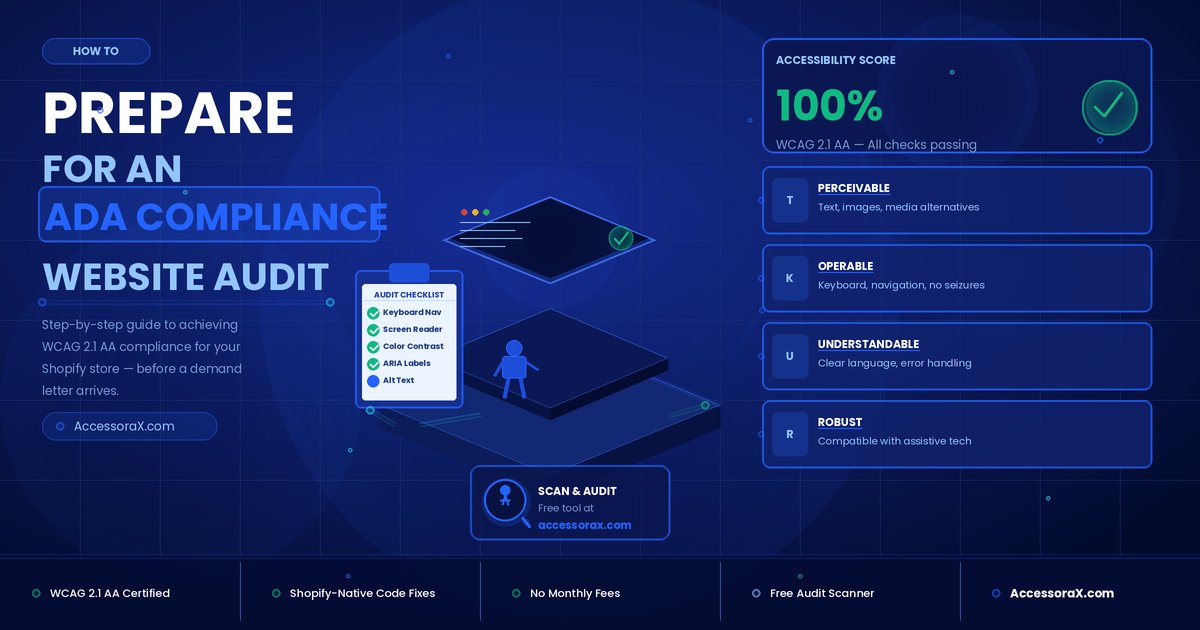
A complete audit covers four domains: keyboard navigation and focus management, screen reader compatibility, visual design (color contrast, text sizing, spacing), and interactive elements including forms, modals, and dynamic content. These aren't independent checklists. They overlap significantly, and failures in one area often surface as failures in others.
Manual Testing: The Tests That Matter
Manual testing is where the real audit happens. An auditor working with actual assistive technology uncovers the barriers that block users in practice. AccessoraX conducts these tests using NVDA and VoiceOver on Chrome and Safari, paired with keyboard-only navigation, directly against a Shopify store's live theme files.
Keyboard Navigation: Testing Tab Order, Focus Visibility, and Traps
The keyboard navigation test starts by disconnecting the mouse entirely. The auditor navigates the full site using Tab, Shift+Tab, Enter, Space, and arrow keys, verifying three things:
- Logical tab order: Does focus move in a reading sequence that matches the visual layout?
- Visible focus indicators: Is there a clearly visible outline on every interactive element?
- Keyboard traps: Can you enter a modal or dropdown but not exit it without a mouse?
The relevant WCAG criteria are 2.1.1 (Keyboard), 2.4.3 (Focus Order), and 2.4.7 (Focus Visible). A keyboard trap in the checkout flow doesn't just fail a criterion, it blocks a sale for every keyboard-dependent user who encounters it.
Screen Reader Compatibility: What Gets Announced and What Gets Missed
The screen reader test uses NVDA on Windows and VoiceOver on Mac as the primary tools. The auditor listens to how each page is read aloud:
- Is the heading hierarchy logical and sequential?
- Are button labels descriptive, or do they announce "button" with no context?
- When a form fails validation, does the error message get announced immediately?
Dynamic content requires ARIA live regions. If a cart update, live notification, or error message isn't wrapped in the correct live region, screen reader users hear nothing when the page state changes.
Color Contrast and Form Labeling
The contrast minimums under WCAG 1.4.3 are 4.5:1 for normal text and 3:1 for large text and UI components. These ratios are objective and testable, but automated tools still generate false negatives on complex backgrounds, gradients, and state changes.
Forms require explicit label associations: a visible element properly tied to its input, not placeholder text that disappears when the user starts typing. Contrast failures and missing form labels are among the most prevalent issues in Shopify store audits. Research documents color contrast problems in roughly 80% of audited sites and form labeling gaps in over 40%. These are not edge cases.
What a Professional Audit Report Should Include
If you're commissioning an ADA website audit service, the deliverable matters as much as the process. A vague summary PDF is not actionable and is not defensible.
The Anatomy of a Thorough Accessibility Audit Report
A professional report documents each issue with:
Reports that list issue descriptions without mapped WCAG criteria and developer-ready guidance tend to sit in inboxes untouched. The spreadsheet or issue tracker format is standard because it connects directly to project management tools.
Severity Ratings, VPAT Documentation, and Executive Summaries
The prioritized issue list organized by severity is how your development team should triage the work. Critical issues block core tasks entirely. High-severity issues create significant friction. Medium and low issues follow in subsequent sprints.
If you're selling to enterprise clients or federal agencies, you'll also need a VPAT (Voluntary Product Accessibility Template). The executive summary, covering overall compliance level, affected user groups, and the most critical barriers, is what your legal team and leadership actually need. They need the two-page brief that tells them where the store stands and what happens if those gaps aren't closed.
ADA Compliance Website Audit Checklist: Scope and Preparation
Proper preparation affects both the quality and the cost of an audit. Showing up ready means fewer surprises, a tighter scope, and a report that maps directly to your actual risk.
Defining Which Pages and User Flows to Audit First
For any e-commerce audit, the non-negotiable pages are: homepage, product pages, collection or category pages, cart and checkout, account login and registration, and contact forms. Auditors typically work from page templates rather than individual URLs, because fixing a header template propagates the fix across every page that uses it.
Setting Up Your Testing Environment and Issue Tracking
Confirm the auditor has access to either staging or production, across the browser and assistive technology combinations they'll use: Chrome with NVDA on Windows and Safari with VoiceOver on Mac. Set up a shared issue tracker before the audit begins, whether that's Jira, Linear, Notion, or a shared spreadsheet. Audits without a connected tracking system produce reports that get emailed once and never touched again.
Turning Audit Findings Into a Remediation Plan
The audit is only valuable if the findings get fixed. Most remediation efforts stall not because the fixes are technically difficult, but because the plan lacks structure.
Prioritizing by Impact: What to Fix First
Critical issues block core tasks completely: a keyboard user who cannot complete checkout, or a screen reader user who cannot navigate the main menu. These get addressed in the first sprint. High-severity issues create significant friction but don't fully block completion.
Group fixes by template type rather than individual URL: global navigation, footer, forms, product cards, and checkout are all template-level changes that cascade across the entire store. For Shopify stores specifically, fixes belong directly in the Liquid theme files. Overlay widgets pasted on top of existing code don't resolve underlying issues.
Retesting After Remediation: Closing the Loop
Every fixed issue needs to be retested with both automated tools and manually with assistive technology. Fixes sometimes resolve one issue while introducing another. Build retesting into the remediation timeline as a required step, not an optional follow-up. Schedule a full follow-up audit after major fixes are deployed, and set quarterly monitoring to catch new issues introduced by theme updates, app changes, or new page additions.
What Professional ADA Audits Cost
Cost ranges vary by site size and complexity:
Small Sites
5 to 12 pages: $1,000 to $5,000
Medium Sites
10 to 25 templates: $3,000 to $15,000
Large/Complex Sites
25+ templates: $10,000 to $75,000+
Per-page pricing for complex, interactive pages typically runs $100 to $350. These figures reflect manual audits with full reporting; pricing varies by provider and market conditions. Automated-only scans cost far less and deliver far less protection.
What Drives the Cost of an ADA Website Audit Up
Complexity matters more than raw page count. A 15-page Shopify store with a custom checkout integration, video content, and faceted product filtering will cost more to audit than a 30-page simple catalog site. Urgency adds a premium: if you've already received a demand letter, expect expedited pricing. Ongoing monitoring contracts, covering quarterly audits, theme update validation, and new page testing, add to the annual cost but are significantly cheaper than the average ADA lawsuit settlement, which runs $30,000 and above before attorney fees.
Ready to Get Audit-Ready?
AccessoraX offers a free micro-audit with a personalized walkthrough showing exactly what screen readers experience on your homepage. No automated score, no vague summary, just a clear look at where your store actually stands.
Get Your Free Homepage Review →Conclusion
An ADA compliance website audit is a structured, manual process, not a scan score and not a checkbox. You now know what gets tested, what a defensible report looks like, how to prepare your site and your team, and what remediation requires to actually close the loop. The audit is not the end of the process. It's the beginning of a systematic improvement that protects your store and broadens the audience who can use it.
The gap between a scan and a real ADA compliance website audit is the gap between feeling protected and being protected. Now you know the difference.
Free 5-Email Accessibility Course
Get actionable tips on what's blocking your customers and costing you revenue. Plus, a free accessibility audit of your store.